
How to Log In to tournaverse
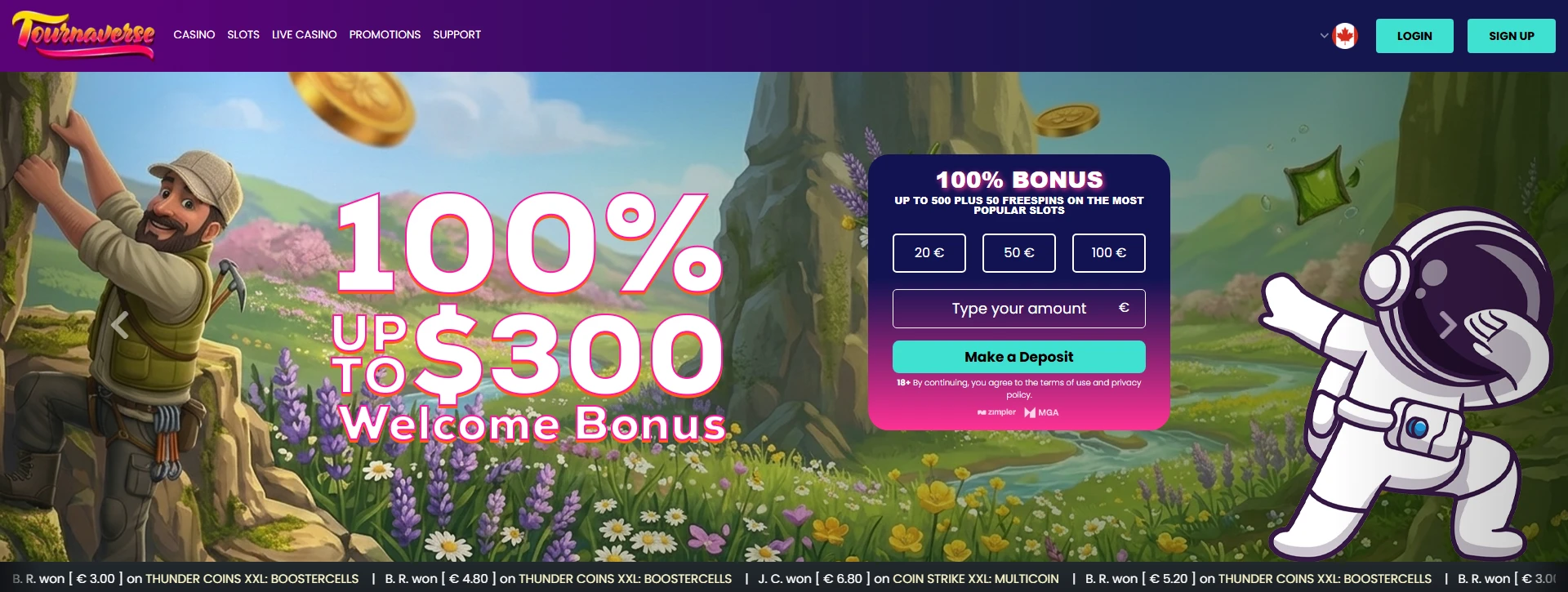
How do you access your Tournaverse account on a desktop browser? Open your browser of choice and go to tournaverse.com. In the upper right hand corner there's a button that says Log In. Click that. A pop up will come up that will give you a place to enter your email and password. Enter those carefully and then click Log In. If the email and password are correct and there are no holds on your account you will be taken to your account dashboard.
How does logging in on mobile device work? You can access Tournaverse on your mobile browser just like you would on desktop. You can also download the Tournaverse app. Once you've done that, you can log in the same way. Tap Log In, then enter your email address and password, and tap the confirmation button. Our app is designed to be functional in both portrait and landscape modes. So you can use whatever orientation is most comfortable for you. The app also remembers your login for a short time on a trusted device, so you won't have to enter your login information every time.
What is two-factor authentication, and why should you enable it? Two-factor authentication, or 2FA, adds an extra layer of security to your account by requiring you to provide a unique code in addition to your password to log in. We suggest that you turn on 2FA for all of your accounts, and we'll also suggest that you turn on 2FA for your Tournaverse account. With 2FA on, your Tournaverse account will be much more secure.
To turn on two-factor authentication, log into your account and go to Account Settings. Then select Security. In that tab you will see the option to turn on 2FA. You will then tap or click the 2FA option and choose an authenticator app. Many users tend to use Google Authenticator or Authy. An on-screen QR code will then be displayed. Once you have scanned the code with your authenticator app, the app will begin generating six-digit codes every thirty seconds. You will then have to enter the code to the confirmation field in tournaverse to complete the 2FA setup. Congratulations! You have just enabled an extra layer of security to your account!
What are recovery codes and where are they kept? When you set up 2FA on Tournaverse, you're provided one-time recovery codes. Recovery codes allow you to regain access to your account in the event you lose your authenticator device or uninstall the app. Each code is good for only one use. It's critical you write them down immediately and store them in a secure location, separately from where you store your login credentials. If you lose your recovery codes, or use them all, contact support to help you through an alternative method to regain access to your account to verify your identity.
What happens with 2FA when a device is managed? After you successfully complete 2FA challenge, you will have the ability to mark the device you are currently using as trusted. Trusted devices are remembered for a given time frame and are allowed to access the Service without requiring your second factor of authentication. Repeated access on your personal devices will be faster. You can view and remove trusted devices at any time by going to Account Settings > Security > Trusted Devices. If you no longer use a device or believe it has been accessed without your permission, remove it from the trusted list immediately.
Forgotten your password? Click or tap Forgot Password? On the login screen to generate a reset link to your email address. After a short while, check your email for the password reset link. Click the link and create a new, secure password that satisfies the requirements shown. Once confirmed, you will be logged in and ready to enjoy the services on tournaverse.com. If you can't locate the email, be sure to check your spam/junk folder and then generate a new password reset link if needed.
What are the most common login issues, and how are they resolved? The login process is straightforward, but a few situations can interrupt it:
- Incorrect credentials: Double-check that Caps Lock is off and that you're using the email address registered to your account. Use the password reset flow if you're uncertain.
- 2FA code rejected: Please make sure your device's clock is synced to the network time. Your device's clock being just a few minutes off will cause your authenticator app codes to be rejected.
- Account locked: Multiple failed login attempts may trigger a temporary account lock as a security measure. Wait the indicated period or contact our support team directly to lift the lock.
- Lost authenticator access: Use one of your stored recovery codes to log in, then reconfigure 2FA with a new device under your security settings.
- Browser or cache issues: Clear your browser's cache and cookies, then attempt to log in again. Alternatively, try a different browser or switch between private and standard browsing mode.
For any situation not covered above, our support team is available to assist you directly through the contact options listed on the tournaverse help page.
Create Your tournaverse Account
Create your account in only a few minutes. Our simple, straightforward registration form guides you step-by-step, and you won't have to leave any page to go to another to complete your sign up. After you finish and your identity is verified, your account is ready to use.
To get started, click the SIGN UP button found on the homepage. Fill in your email address, create a password, and enter your personal information (name, date of birth, address, etc.) and submit. We send you an email to confirm your account. Follow the verification link to finalize the process. You can now log in and begin using tournaverse. Note that some features on tournaverse require complete identity verification to be functional. These features won't work until your identity has been fully verified.
Identity verification at tournaverse follows a standard Know Your Customer process. Completing this step verifies your account, and allows us to process withdrawals promptly. We'll ask you to upload clear copies of the required documents through the verification section of your account dashboard. We process requests within a standard business window. More complex cases may take longer. We'll notify you once your documents have been reviewed and your account has been cleared.
What you'll need for KYC verification:- Some form of government-issued photo ID (i.e. Passport, Driver's License, National Identity Card, etc.)
- Proof of Address - Recent Utility Bill, Bank Statement, or Official Correspondence - Your name and current address must be shown (typically within the last 3 months)
- Account verification may be required for deposit method chosen. Invalid combination of deposit methods - you can not make deposits in combination.
You will spend your first session after sign up getting familiar with the platform. The first thing that happens after you sign in for the first time is a short welcome flow. This walkthrough shows you how to edit your profile settings and gives you a quick overview of how to find your account balance and where to find your transaction history. Lastly, it shows you the current welcome offer. You can read more about the details of the offer on the promotions page of your account. Be sure to read through the terms before you do anything else.
Your dashboard is the central point for all the features you'll need. From there you can do things like set deposit limits and review your responsible gaming tools and history. We suggest you take a moment to set your preferred deposit limit. It's a quick and easy step to help set controls for yourself.
You will be able to enter tournaments and other paid events once you make your first deposit. We accept Visa, Mastercard and Skrill, as well as other payment methods listed in the cashier. All transactions are processed in CA$. Minimum and maximum deposit amounts vary by payment method and will be shown to you at the time you make your deposit. No guess work will be necessary.
Before you start: account creation checklist:- A valid email address you can access immediately
- Your full legal name and current residential address
- Date of birth (you must meet the minimum age requirement in your jurisdiction)
- A scanned or photographed copy of your government-issued ID
- A proof-of-address document dated within the last three months
- Your preferred deposit method ready to link
We understand that you may have questions during the registration or verification process, and the support team is available through the contact options in your account to answer them at any time. Don't be afraid to reach out! It's our job to make sure that you don't have any problems setting up your account.
tournaverse Welcome Bonus & Promotions
How do you activate the tournaverse welcome bonus? As soon as you create your account and make your first qualifying deposit, the welcome bonus is added to your account balance. You won't need to enter a promo code to redeem this offer. We recommend that you visit our promotions page immediately after registration to check the terms of the current welcome offer. This is because the games that qualify to be played to release the bonus, the structure of the bonus, and the minimum deposit threshold are changed from time to time. After your deposit is processed and confirmed, the bonus funds are added to your account and you can start playing.
What are wagering requirements? A wagering requirement determines the number of times the bonus needs to be played through to turn the bonus cash into withdrawable cash. At Tournaverse, we provide a bonus tracker on your account dashboard to help you track your progress towards meeting the wagering requirement. Not all games contribute the same way towards meeting the wagering requirement. Slots contribute more towards meeting the wagering requirement than table games like Blackjack and Roulette. That's why it is always good to read the full terms and conditions attached to every offer before making a deposit, so that you can strategize the way you play. Any cash balance that is left in your account after the wagering requirement expires is treated in accordance to the terms and conditions of the promotion offer it was attached to.
What promotions does tournaverse run other than the welcome offer? It's tournaverse's bonus program in the promotions hub that really shines beyond the introductory offer. There's a planned schedule of regular promotions, from the daily to the monthly. The promotions schedule is regularly published and can be found in the promotions hub. It's a good idea to see what offers are currently being run and how long they'll be run for.
Weekly promotions vary at tournaverse. Common types of weekly promotions include reload bonuses on specified deposit days, free spin packages on the launch of new games, and prize pool tournaments which typically have CA$ rewards with a leaderboard. The largest of the promotional offers are the monthly cashback offers which typically are calculated on your net loss for the calendar month. Time-limited promotional offers which reward you for completing a set number of rounds on specified games are also common. The offers list their terms and conditions, and can be quite specific; for example, some only qualify on bets placed with real money on certain games. This way you will always know exactly what gameplay is eligible.
How do you opt in to a promotion on the promo calendar? Some offers require you to click the Claim Offer button on the promotion card before you make a deposit or start playing to qualify. Other offers are automatically credited to your account when your account activity meets the offer's qualifying conditions. The promotion card states which method is used for the offer. If you don't click the Claim Offer button before the offer expires, the offer is forfeited and can't be applied to past activity. To get the best offers, check the calendar at the start of each week.
Does tournaverse operate a loyalty or VIP program? Yes. When you wager real money at tournaverse, you earn loyalty points that enable you to advance through a tiered membership structure. Each tier offers different benefits, from higher cashback and reload rates to bonuses and promotions, to account management and other benefits. The benefits you earn are based on the real-money wagers you make. Each game category displays the rate at which you earn loyalty points in your account. Your points automatically earn benefits based on your points balance and your current tier status. Status is reviewed on a rolling basis, and you can maintain your benefits by increasing your points balance. Benefits are automatically earned when your points balance meets the requirements of your current tier.
What should you keep in mind about the VIP Calendar? Members at the VIP level have access to an additional promotional calendar along with the standard promotional calendar. Offers shown on this calendar aren't shown to standard account holders and are available through notifications on your account. If you think you should be eligible for VIP status but haven't been advanced, you may reach out to us through the Help section to discuss your account.
Can I use bonus funds with any payment method? Bonus funds are in CA$ and are available to use with all eligible games in the offer terms. Qualifying deposits are made via Visa, MasterCard, PayPal, Skrill and other methods (subject to the offer terms) and must be equal to or greater than the minimum deposit stated in the offer. Not all payment methods will qualify you for a promotion and this will be stated in the offer terms. It's the customer's responsibility to check what payment methods qualify for the promotion prior to funding their account to make the deposit.
Download the tournaverse App
The tournaverse app allows you to access your complete account from your phone and check live standings from any location with a signal. You can download the app from the Apple App Store (iOS 14 or later) or the Google Play Store (Android 8.0 or later). Just search for tournaverse, tap Get or Install, and you're ready to go! Our mobile site gives you the same functionality if your device doesn't run one of the supported operating systems. You can access it from any browser.
Once installed, you can sign in using your current TournaVerse credentials or tap SIGN UP to create a new account, all within the app. You will be prompted to enable biometric authentication (face ID or fingerprint recognition) for the first time you log in. This means you don't have to type in your password every time you log in. You can change this at any time under Account->Security->Biometric Login.
One advantage the app has over the mobile browser is push notifications. The app can notify you of upcoming tournaments you've registered for, of results that have been posted, and of offers that have been applied to your account. After you've installed the app your device will ask if it can send you notifications from the app; to allow these notifications tap Allow. If you dismissed this notification, you can set these notifications to be sent to you at any time by going to your device's settings > TournaVerse app. To manage what types of notifications you will receive, go to Settings in the app > Notifications.
The in-app notification center allows you to adjust categories independently, enabling or muting each to receive alerts that are most important to you. You also have the option to turn off alerts for a specific duration using the Do Not Disturb feature located in the same menu. This is useful to prevent notifications from popping up on your screen during a tournament session for example, and alerts will be restored to the setting you used prior to using the Do Not Disturb feature. You can also adjust the categories independently to turn off alerts for confirmation messages and promotional messages for instance. Each category contains a toggle switch for your convenience.
Beyond notifications, the app includes a persistent Settings panel where you can manage display preferences, update your contact details, and review your active session. The app also supports quick access to your transaction history and responsible gaming tools, including deposit limits and session time reminders, without needing to open a browser window.
What you'll need before you start:- An iOS device running version 14 or later, or an Android device running version 8.0 or later
- An active tournaverse account, or you will need to sign up through the app's SIGN UP flow.
- Your account email address and password for first login
- A stable internet connection during installation and initial setup
- Notification permissions enabled at the device level (you can adjust this in your phone's system settings)
- Biometric hardware (i.e. Face ID or fingerprint sensor) to support biometric login (optional but recommended)
- Sufficient storage space on your device for the initial install and future updates

Automatic updates are delivered for apps when the automatic updates setting is enabled on the App store or the Play store respectively. Automatic updates help ensure that your app is patched with the latest security and improvement updates. Should you experience any difficulty while installing or configuring the app, you can reach out to our support team via the Help section located within the app.
Deposits & Withdrawals at tournaverse
Understanding your available deposit methods is the first step to managing your funds at tournaverse. Your account allows a full range of payment options so you can use your preferred method of payment. Below is the complete list of the deposit methods supported on tournaverse.
- Visa and MasterCard - Standard credit and debit cards are accepted. Deposits are credited instantly to your account balance. No fee is charged by tournaverse for credit card transactions and instant deposits, but your card issuer may charge a fee for overseas transactions.
- PayPal - Quickly deposit through PayPal by connecting your PayPal account via the cashier. Processed transactions are done instantly, and the same PayPal account is used to withdraw funds.
- Skrill - Skrill e-wallet deposits are processed instantly. Skrill is very popular with account holders as it allows them to keep their banking details and gaming details completely separate.
- Neteller - Neteller works similarly to Skrill at tournaverse. Deposits are instant and they also support withdrawals.
- Interac - Canadian account holders can use Interac e-Transfer with no extra charge from us. Be aware that your bank may charge a fee. This option connects directly to your bank account.
- Bank Transfer - Larger deposits can be made by direct bank transfers. This can take longer to process compared to e-wallets or card transfers, and the time required is dependent upon your financial institution.
- Paysafecard allows users to deposit money into their accounts using Paysafecard prepaid vouchers. Note that Paysafecard is a deposit-only method, so it cannot be used for withdrawals.
You can log in to your account, go to Cashier, and select Deposit to add a new payment method. A list of payment method options will be shown to you. Select your preferred method. Based on the selected method, you may be required to enter details or authenticate using your bank or card's interface to verify the deposit.
All deposits at tournaverse are processed in CA$. Minimum and maximum deposit amounts vary by method and are clearly displayed at the time of the transaction. Always check the minimum and maximum limits of a transaction before confirming. Deposit fees aren't charged by us for the methods listed, though fees may be charged by the third party payment processor and will be displayed on the cashier screen.
The Cashier handles withdrawal requests the same way for all clients. Your account identity verification must be finalized before any cash out request is processed. Upload the required documents in your account settings to avoid delays. Processing time for cash out requests is dependent on the method requested and is provided in the Cashier at the time of the request.
If you have questions about a specific payment method or a pending transaction, our support team is available to assist you directly through your account.
Contact tournaverse Support
When you need help, tournaverse gives you multiple options for reaching out to the support team. Different issues may require you to use different options. Knowing what channel to use, and what to expect, can help you get your issue resolved quicker.
Live Chat
Live chat is the fastest way to reach a support agent. You can open a chat session directly from your account dashboard by selecting the chat icon in the lower corner of the screen.
- Live chat is available around the clock, every day of the year.
- Sessions connect you to a trained agent, not an automated script loop.
- Responsible gambling requests, like self-exclusion or deposit limit adjustment requests, can be made via live chat, as we can immediately update your account. For other requests, like a cooling-off period, we'll be happy to assist via email or live chat.
- Have your registered email address and account ID ready before the session starts; this speeds up identity verification.
Email Support
Email is the best method of contact if you need to document your request, such as for uploading identity verification files, submitting a complaint or requesting a record of a decision regarding a responsible gambling request.
- Send your message to the official support address listed on the Contact Us page of the site.
- Include your full name, registered email address, and a clear description of the issue in the body of the message.
- If you are requesting a self-exclusion by email, state the duration you are requesting and confirm that you understand the account will be inaccessible for that full period.
- Response times vary depending on query volume; complex account matters typically take longer than general inquiries.
- We send a confirmation email once your request has been received, so you have a timestamped record of the interaction.
Phone Support
Phone support availability is confirmed on the Contact Us page. If there's a local number listed, that can be used for security concerns. For responsible gambling requests, we can take your request over the phone and confirm changes via email. Please note, final account updates for Responsible Gambling are confirmed via email.
FAQ and Help Centre
The FAQ section covers the most common account and responsible gambling questions in detail. Before contacting support, checking the help centre often provides an immediate answer.
- The FAQ is accessible without logging in, so you can review information at any time.
- A dedicated Responsible Gambling section explains every available tool: deposit limits, loss limits, wagering limits, session time reminders, cooling-off periods, and permanent self-exclusion.
- Step-by-step instructions for setting or modifying limits are included, with guidance on where each control is located in your account settings.
- Further information and contact details for the national problem gambling helplines and self-exclusion registries can be found in this section.
Responsible Gambling Support: Priority Handling
Tournaverse treats responsible gambling requests as high-priority items. If you contact us to request a self-exclusion or an urgent reduction in your deposit limit, your request isn't placed in a standard queue. It's handled before general account inquiries.
- Self-exclusion requests are processed promptly. Once confirmed, access to your account is suspended for the full period you have selected, with no option to reverse the decision early.
- Deposit limit reductions take effect immediately upon confirmation. Any request to increase a limit is subject to a mandatory waiting period in accordance with responsible gambling guidelines.
- If you are concerned about your gambling habits, our support team can point you to external organisations specialising in gambling harm, including confidential helplines available across Canada.
- You can set a reality check reminder within your account settings to have it remind you at intervals you define and show you how much time has elapsed in your current session.
- Canadian residents can register with provincial self-exclusion programmes independently of tournaverse; details are available on the responsible gambling page.
Escalating an Unresolved Issue
If your initial support contact doesn't resolve your concern, you have a clear path to escalation.
- Request that your case be referred to a senior support agent or the complaints team.
- Provide the reference number attached to your original support ticket so the escalation team can review the full history.
- Formal complaints are acknowledged in writing, and you will receive updates as the matter progresses.
- If a resolution cannot be internally resolved, tournaverse's licensed regulatory authority is the next point of contact, details of which are located in the terms and conditions.
Safety of your account is our support team's main concern. Get in touch through the method most appropriate in your situation and we will respond as quickly as we can.